Reservation Events
The Reservation Events report to view a list of activities for the reservation by date. Exporting the report enables users to download and view a summary or detailed version of the report in Excel. As a property manager, user can use this information to view the events for the reservation. When a confirmation number is available, it’s linked to the reservation and opens in a separate tab when selected. It’s not available if it does not appear in the report.
Perform the following steps to generate the report:
Navigate to Reports ➜ All Reports ➜ Reservation Events (under Guests/Reservations).
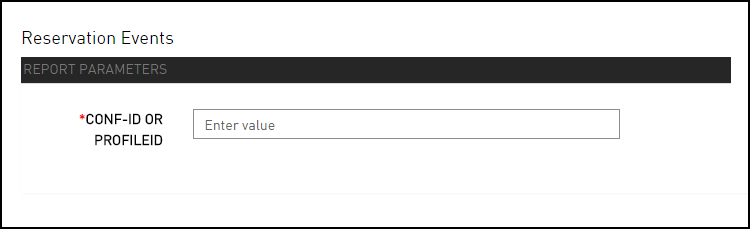
Enter either a CONF-ID or PROFILEID field for the event to include in the report.
Click Generate. The report with the selected data appears.
Click Print to send a copy of the report to the printer.
Sample Report
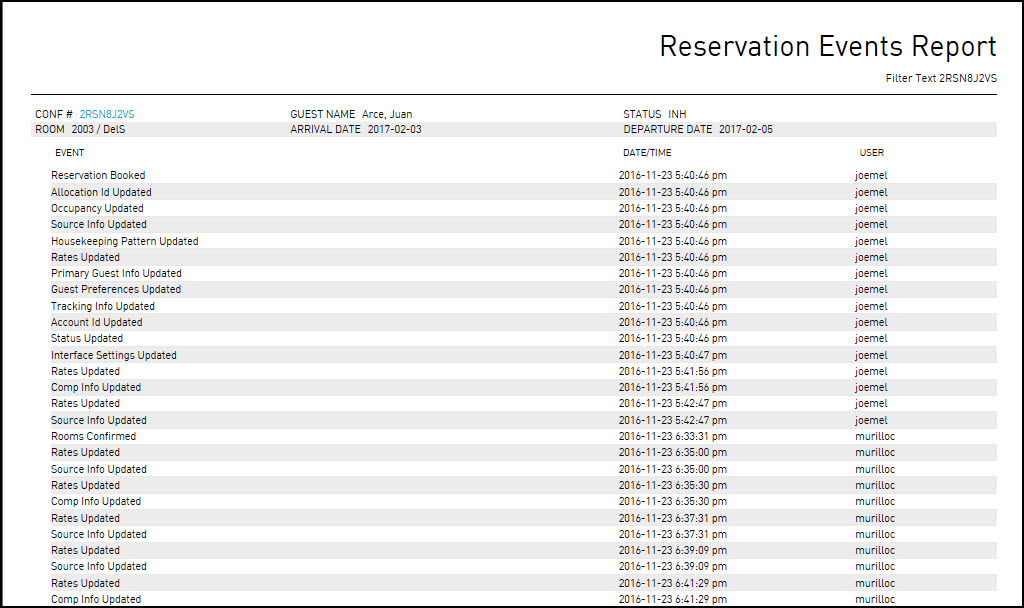
Report Parameters
This report displays the following parameters:
|
Field |
Description |
|---|---|
|
Event |
Activities with the reservation. |
|
Date/Time |
The date or time when the event took place. |
|
User |
Employee who entered the change. |